Best Weightlifting Apps for Powerlifters: Features and Options Compared
A training app can record that you squatted 405 lb for three reps. That does not mean it can help when 405 lb moves like an RPE 9 on a day when the program called for RPE 7, or when your deadlift stalls six weeks before a meet.
Powerlifters need more than an exercise database. They need a system that connects programming, session-level adjustments, long-term progress, fatigue, and meet timing. LiftnLog approaches that problem through powerlifting-specific planning and logging rather than treating every workout as an isolated list of sets.
Quick answer: how to choose the best weightlifting app
Use this process to choose an app that fits your actual training decisions:
- Define who controls the program: Decide whether you need automated programming, a coach-delivered plan, a fixed template, or a flexible workout log.
- Test squat, bench, and deadlift programming: Confirm that the app handles frequency, variations, top sets, back-off work, and progression clearly.
- Check RPE and load adjustment support: Look for prescribed and actual RPE, load recommendations, and a usable record of adjustments.
- Review progress and fatigue tracking: Make sure you can compare performance across weeks without mistaking accumulated fatigue for lost strength.
- Evaluate meet preparation: Check whether the app supports peaking, tapering, attempt planning, and calendar-based changes.
- Run one real training week: Enter your current program and use the app during sessions before committing to it.
- Choose the smallest system that solves your problem: Avoid paying for automated coaching if you only need a reliable log, or using a basic tracker when you need programming decisions.
1. Choose the right type of weightlifting app
The first decision is about control. Apps that look similar in a store can serve completely different roles.
An automated programming app creates or adjusts training for you. This can suit a self-coached lifter who wants direction but does not want to write every block. JuggernautAI is the clearest example among the options considered here. Its value depends on whether you want the system to make programming decisions from your inputs.
A coach-delivery platform is different. TrainHeroic is commonly used to distribute programs, collect session results, and manage athlete communication. The quality of the experience depends heavily on the coach or program being delivered through it. The platform is the container, not necessarily the coach.
Program-library apps, including Boostcamp and StrengthLog, are useful when you want to select an established routine and track it in one place. They can also work as general strength logs. Check each vendor’s current listing before choosing because free access, program availability, exports, and paid features can change.
Barbell Medicine is most relevant to lifters who want its training templates and coaching framework. Before treating it as a direct substitute for a dedicated workout tracker, decide whether you primarily want the programming or the logging interface.
A focused powerlifting tracker gives you more control. You bring the program, then use the tool to plan sessions, record actual performance, and make justified adjustments. That is the role LiftnLog is designed to support.
Consider Maya, a 75 kg lifter preparing for her second local meet. Her recent gym lifts are a 150 kg squat, 87.5 kg bench press, and 180 kg deadlift. She already has a 12-week program from her coach, so an automated app that rewrites the plan would create conflict. She needs a clear way to enter prescribed work, record actual RPE, and review whether missed targets are isolated or persistent.
That immediately removes some otherwise capable apps from her shortlist. Fit comes before feature count.
2. Compare weightlifting apps for squat, bench, and deadlift programming
Powerlifting programming is not simply three exercise names with sets and reps. The app needs to represent how the competition lifts and their variations change across a block.
A useful squat entry may include a competition squat top single at RPE 7, followed by four sets of four at a percentage of the day’s estimated strength. The same week could include paused squats and beltless squats. If the app flattens those into disconnected exercises, it becomes harder to see whether the competition movement is improving.
Bench press adds another requirement: frequency. Many lifters bench three to five times each week using different grips, pauses, rep ranges, and levels of specificity. An app built around one weekly entry per body part can become awkward quickly.
Deadlift programming tends to expose poor fatigue handling. Heavy competition deadlifts, Romanian deadlifts, paused pulls, and rows all create stress, but not in identical ways. A useful log lets the lifter inspect the pattern without pretending that every set has the same recovery cost.
Here is how the main options fit common powerlifting use cases. Features and access levels can change, so verify critical details in the current app before subscribing.
| App or platform | Best fit | Programming control | RPE usefulness | Meet-prep fit | Main trade-off |
|---|---|---|---|---|---|
| LiftnLog | Powerlifters who want to plan, log, and adjust training | Lifter or coach retains control | Central to the powerlifting workflow and supporting tools | Useful for tracking a planned peak and taper | Not positioned here as a replacement for an individual coach |
| JuggernautAI | Self-coached lifters seeking adaptive programming | System generates and adjusts the plan | Used as an input to training adjustments | Designed with powerlifting cycles in mind | Less suitable when an outside coach already controls programming |
| Boostcamp | Lifters who want ready-made programs in a tracker | Depends on the selected program | Varies by program and tracking workflow | Depends on the chosen program | Program quality and specificity vary |
| StrengthLog | General strength athletes wanting broad logging and program options | Flexible tracking with available programs | Useful for logging, but evaluate the exact workflow you need | Possible with the right plan | Broader strength focus may add features a powerlifter does not need |
| TrainHeroic | Athletes receiving programming from a coach or team | Coach or program author controls delivery | Depends on how the coach programs and reviews it | Strong when the coach provides a complete meet plan | Platform usefulness depends on the delivered coaching |
| Barbell Medicine | Lifters following its templates and training approach | Template or coaching framework leads | Relevant to its autoregulated programming approach | Depends on the template or coaching service | Best fit is tied to using its training system |
For Maya, TrainHeroic could work if her coach already used it. JuggernautAI would duplicate the coach’s role. A program library would only help if she abandoned the existing 12-week plan. A flexible powerlifting log is the cleaner choice because it preserves the coach’s prescription and Maya’s actual results.
Beginners face a different decision. A new lifter who has no plan should not choose an empty log and expect the interface to supply sound programming. Start with a defined progression, such as this 12-week powerlifting program for beginners, then select an app that can represent it without unnecessary work.
3. Find the best weightlifting app for RPE-based adjustments
RPE becomes useful when the app records enough context to support the next decision. A single RPE field is only the start.
For strength training, RPE commonly expresses how many repetitions remained at the end of a set. An RPE 8 generally indicates about two repetitions in reserve, while RPE 9 indicates about one. The relationship is practical rather than perfectly precise, especially for lifters who are still learning to rate sets.
If those terms are getting mixed together, use the full explanation of RPE versus RIR for strength training. The app should let you use one consistent language rather than forcing you to translate during a difficult session.
A good RPE workflow records the prescribed target, actual load, completed reps, actual RPE, and any note that explains an unusual result. Without both prescribed and actual values, you cannot tell whether the program was followed or adjusted.
Maya’s week-four squat session shows why this matters. Her plan calls for a single at RPE 7, then four back-off sets. Based on recent training, she expects to use 137.5 kg. During warm-ups, 130 kg moves slowly, and 137.5 kg feels like RPE 9.
She records the actual rating instead of changing it to match the plan. She then reduces the back-off load. That preserves the intended effort and keeps one poor-readiness day from turning into several days of excess fatigue.
The failure appears later: she did not record that she had slept badly after travel. When she reviews the week, the number looks like an unexplained loss of strength. A short note would have stopped her from overreacting.
Use RPE as one input, not as permission to change every hard set. Frequent downward adjustments may reveal poor recovery, an aggressive program, or inaccurate ratings. Frequent upward adjustments can turn submaximal work into repeated tests.
For the calculation itself, LiftnLog provides an RPE calculator for estimating load and one-rep max. The accompanying guide to using RPE in powerlifting covers the judgment required after the calculator gives you a number.
Research supports the use of velocity and effort measures for monitoring resistance training, but no app can directly feel a repetition for you. The American College of Sports Medicine’s progression guidance for resistance training also emphasizes planned changes in training stress rather than random load increases.
Percentage-based training versus RPE
Percentage-based work is stable and easy to plan. If a session calls for 5 sets of 3 at 75 percent, the prescribed load is clear. The weakness is that the percentage uses a known or estimated maximum that may not reflect today’s readiness.
RPE adapts to daily performance but depends on rating skill. New lifters often underestimate effort because they have not experienced true limit sets. Others call any slow repetition RPE 10 even when another rep was available.
Many practical programs combine the two. A top set may use RPE to estimate current ability, while back-off sets use a percentage of that day’s top set or estimated one-rep maximum. Read the top-set and back-off-set programming guide if your app needs to support that structure.
4. Use weightlifting apps to track progress and fatigue
Progress tracking should answer specific questions. Is Maya’s paused bench improving? Does her squat performance fall after high-volume deadlift sessions? Are loads rising at the same RPE, or does the chart only show that she is trying harder?
A lifetime personal-record feed cannot answer those questions. Useful records need dates, exercise variations, loads, repetitions, effort ratings, and enough history to compare similar sessions.
Export or review the last 90 days first. Look for these signals:
- More weight completed for the same reps and similar RPE
- More repetitions completed at the same load and effort
- Better competition-lift performance after a variation block
- Repeated overshooting of prescribed RPE
- Declining performance across several related sessions
- Notes showing recurring pain, poor sleep, or schedule disruption
Maya initially believes her bench has stalled because her heaviest single remains 85 kg for three weeks. The log shows a different pattern. In week two, 85 kg was RPE 9. By week five, it is RPE 7.5 after she completes more total bench volume. The top number did not change, but her capacity did.
Estimated one-rep maximum charts can make this pattern easier to see, although estimates become noisy when they mix different exercises, rep ranges, and RPE ratings. Keep competition bench separate from close-grip and touch-and-go work.
Fatigue tracking also requires restraint. A bad session is not a trend. Treat it as a data point, record the context, and watch the next exposure. When performance drops for several sessions and the lifter is also overshooting RPE, the evidence for an adjustment becomes stronger.
There is no universal deload interval. Some lifters use planned reductions every few weeks. Others adjust when performance, joint tolerance, motivation, and session quality deteriorate together. The app should preserve enough history to make that choice visible, but it should not pretend a simple readiness score knows more than the lifter and coach.
A practical powerlifting autoregulation guide explains how to respond without rebuilding the whole program after one difficult day.
5. Choose a powerlifting app that supports meet preparation
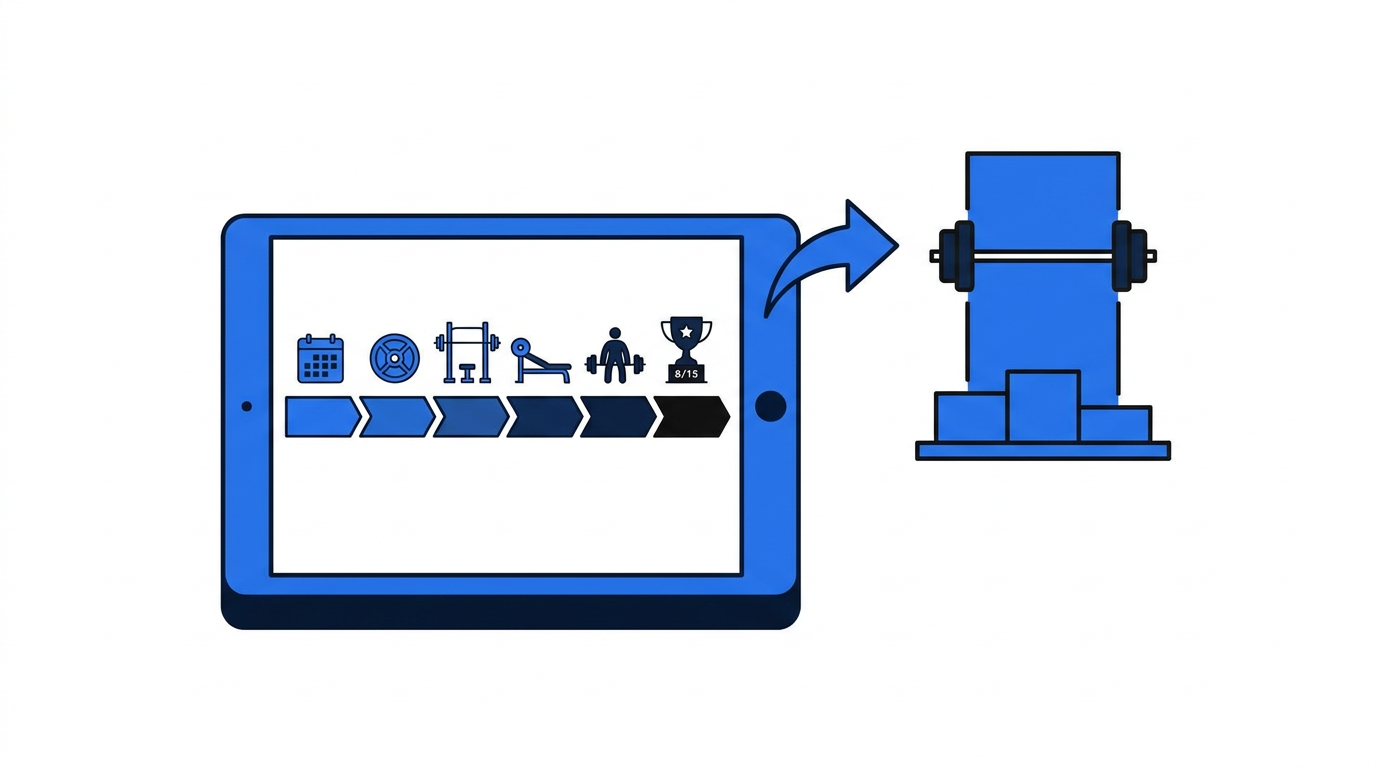
Meet preparation changes the app’s job. The goal is no longer broad development. Training must become more specific while fatigue is reduced without allowing strength expression to fade.
Start with the meet date and work backward. Competition squat, bench press, and deadlift should become more prominent as the meet approaches. Variations can remain where they solve a specific problem, but accessory volume generally becomes less important than practicing commands, equipment, and competition-standard technique.
The app should make these items easy to see:
- Weeks and days remaining until the meet
- Competition-lift exposure and recent heavy singles
- Planned volume reductions during the taper
- Recent body-weight records if the athlete has a weight-class target
- Potential opening attempts supported by recent training
- Notes about commands, equipment, and technical misses
Maya’s original program includes her final heavy deadlift seven days before the meet. Her previous meet log shows that heavy pulls leave her feeling flat for more than a week. She and her coach move the last demanding deadlift earlier while keeping a small amount of lighter practice.
That decision comes from her history, not a universal rule. Another lifter may recover sooner.
Opening attempts should be tied to repeatable training evidence. A successful gym lift performed with straps, loose depth, or no pause does not carry the same information as a lift performed to competition standards. The International Powerlifting Federation publishes its technical rules for squat depth, bench commands, and legal deadlift completion, although lifters should always check the rules of their own federation.
An app can organize the evidence. It cannot turn a questionable gym lift into a reliable opener.
During the final days, avoid interpreting reduced training volume as loss of fitness. The purpose of a taper is to remove fatigue while retaining skill and strength. LiftnLog’s guide to the powerlifting taper before a meet explains what to reduce and when.
6. Test the weightlifting app with a real training week
Screenshots and feature lists hide friction. Enter one full microcycle before deciding.
Use your actual exercise names, warm-ups, top sets, back-off work, accessories, RPE targets, and rest-day schedule. Then take the app into the gym. Time how long it takes to start a session, change a load, record an unexpected result, and review the previous exposure.
Maya tests three workflows with the same week. In the first, she can follow the prescribed session but cannot clearly retain both target and actual RPE. In the second, the app keeps detailed records but takes too many taps to adjust four back-off sets. In the third, she can preserve the plan, log the result, and review the previous week’s squat without leaving the session.
The third workflow wins even if another app has more total features.
Also test what happens when training goes wrong. Miss one planned rep, substitute an exercise because a rack is unavailable, and reduce a load after warm-ups. These are normal events. A rigid app may look polished until the session stops following the template.
Check data access before building years of history. Confirm whether you can export your records in a usable format, whether the app works with poor gym connectivity, and how account recovery works. These operational details are easy to ignore until they become the reason you lose a training log.
7. How LiftnLog handles the powerlifting workflow
Doing this manually requires a program document, an RPE reference, a calculator, a session log, and a method for comparing weeks. LiftnLog brings the powerlifting-specific parts of that process into one connected workflow without claiming to replace coaching judgment.
First, start with the planned squat, bench, and deadlift work. The program remains the reference point, whether it came from your coach or from a structured beginner plan.
Next, take the plan into the session and record what happened. The distinction between prescribed work and completed work matters because an adjusted set should not erase the original target. LiftnLog’s powerlifting workout tracker guide shows the plan, log, and adjust method in practical terms.
Then use RPE to judge the day’s loading. If warm-ups or a top set indicate that the planned number is too aggressive, use the powerlifting tools to estimate an appropriate load rather than guessing. Record the change and its reason.
After the session, review related exposures instead of staring at a single result. Maya can compare the week-four squat overshoot with the sessions around it. Because later sessions return to normal, she does not reduce the rest of the block based on one travel-affected day.
During meet preparation, the same records support decisions about final heavy exposures, volume reduction, and attempts. Nothing needs to be reconstructed from scattered notes the week of the meet.
This workflow suits lifters who want direct control over programming and need tools built around powerlifting decisions. Review the current LiftnLog features if that matches how you train.
8. Common mistakes when comparing the best weightlifting apps
Choosing by download count is the first mistake. A popular general fitness app may still handle powerlifting poorly.
Choosing by the largest exercise library is another. Powerlifters usually need consistent naming for a smaller group of competition lifts, variations, and accessories. Ten versions of the same movement can fragment the training history.
Do not assume an RPE field means the app supports autoregulation. Check whether you can compare target and actual effort, retain load changes, and use the result in the next session.
Avoid changing apps during the final weeks before a meet unless the current tool is actively causing problems. Rebuilding exercise histories and learning a new interface creates work when training decisions should be getting simpler.
Finally, do not buy automated programming when you already pay a coach to program every set. Use a coach-compatible log. The reverse also applies: a flexible tracker will not write a complete progression for a beginner who has no plan.
FAQ about weightlifting apps for powerlifting
What is the best weightlifting app for powerlifters?
The best choice depends on who controls your program. LiftnLog fits lifters who want a powerlifting-specific plan, log, and adjustment workflow. JuggernautAI suits lifters seeking automated programming. TrainHeroic is relevant when a coach delivers training through it, while Boostcamp and StrengthLog suit lifters who want broader program and tracking options.
Can a weightlifting app replace a powerlifting coach?
An app can calculate, organize, prompt, and adapt within its design. It cannot fully replace a coach’s observation of technique, understanding of injury history, or judgment during unusual situations. Automated programming may be enough for an independent lifter, but that is different from individualized coaching.
Should beginners use RPE or percentages in an app?
Beginners can use both, but percentages and simple progression rules provide useful structure while RPE skill develops. Record RPE after sets without making large changes from every rating. Compare the ratings with video and later performance to improve accuracy.
How often should powerlifters deload?
There is no fixed interval that works for everyone. Use the program structure, training history, performance trend, joint tolerance, and RPE pattern. One poor workout rarely justifies a deload. Several declining exposures combined with high effort and poor recovery provide a stronger reason.
Are estimated one-rep max calculators accurate?
They are estimates, not meet results. Accuracy depends on the equation, repetition range, RPE rating, exercise specificity, and the lifter’s ability to perform repetitions near failure. Use the same method consistently and watch the trend rather than treating every estimate as exact.
Do I need a separate app for meet preparation?
Usually not. A capable powerlifting tracker can support the program, taper, and attempt history if it preserves dates, competition-lift records, effort ratings, and notes. A separate meet-day tool may be convenient, but splitting the training record across several apps can create more work.
Which app should I choose if my coach writes my program?
Choose the app your coach can review easily, especially if they already use a delivery platform. If they send the program as a spreadsheet or document, use a flexible tracker that preserves prescribed work, actual results, RPE, and comments without trying to replace the coach’s plan.
For a coached lifter like Maya, the practical choice is a low-friction tracker that keeps the program intact and makes adjustments visible. For a self-coached lifter who wants the app to make programming decisions, an adaptive system may justify its added complexity. Pick based on the decision you need the software to make, then prove the choice with one real week of training.